Journey Builder

Journey Builder - WhatsApp Business feature for UAE businesses.

Get Started Free
Journey Builder
Key Capabilities

Everything You Get with Journey Builder

Visual Canvas

Drag-and-drop journey designer with triggers, conditions, actions, and delays.

Multi-Channel

Combine WhatsApp messages, voice calls, emails, and webhook actions in a single journey.

Wait Conditions

Pause journeys until a condition is met — reply received, payment completed, or time elapsed.

A/B Splits

Test different message paths to optimise conversion rates within automated journeys.

Contact Enrollment

Enroll contacts automatically via triggers or manually through the dashboard.

Journey Analytics

See how contacts flow through each step with conversion rates and drop-off analysis.

How It Works

See Journey Builder in Action

1

Start with a Trigger

Choose what kicks off the journey: contact created, tag added, form submitted, appointment booked, or manual enrollment.
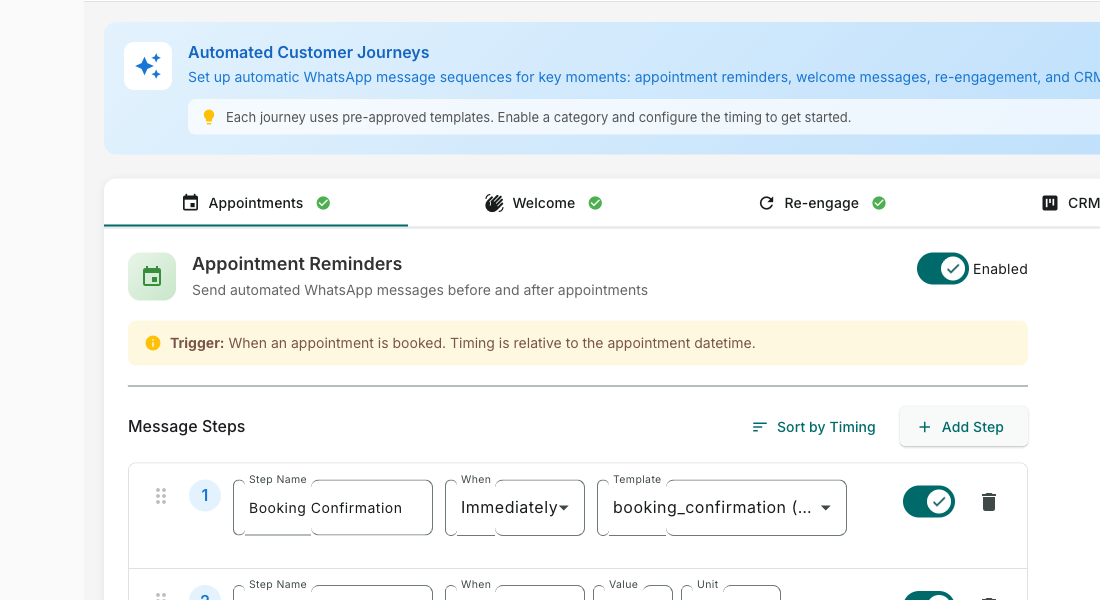
Start with a Trigger — Journey Builder screenshot
2

Design the Path Visually

Drag and drop message steps, wait timers, conditions, and branches on a visual canvas. See the entire customer journey at a glance.
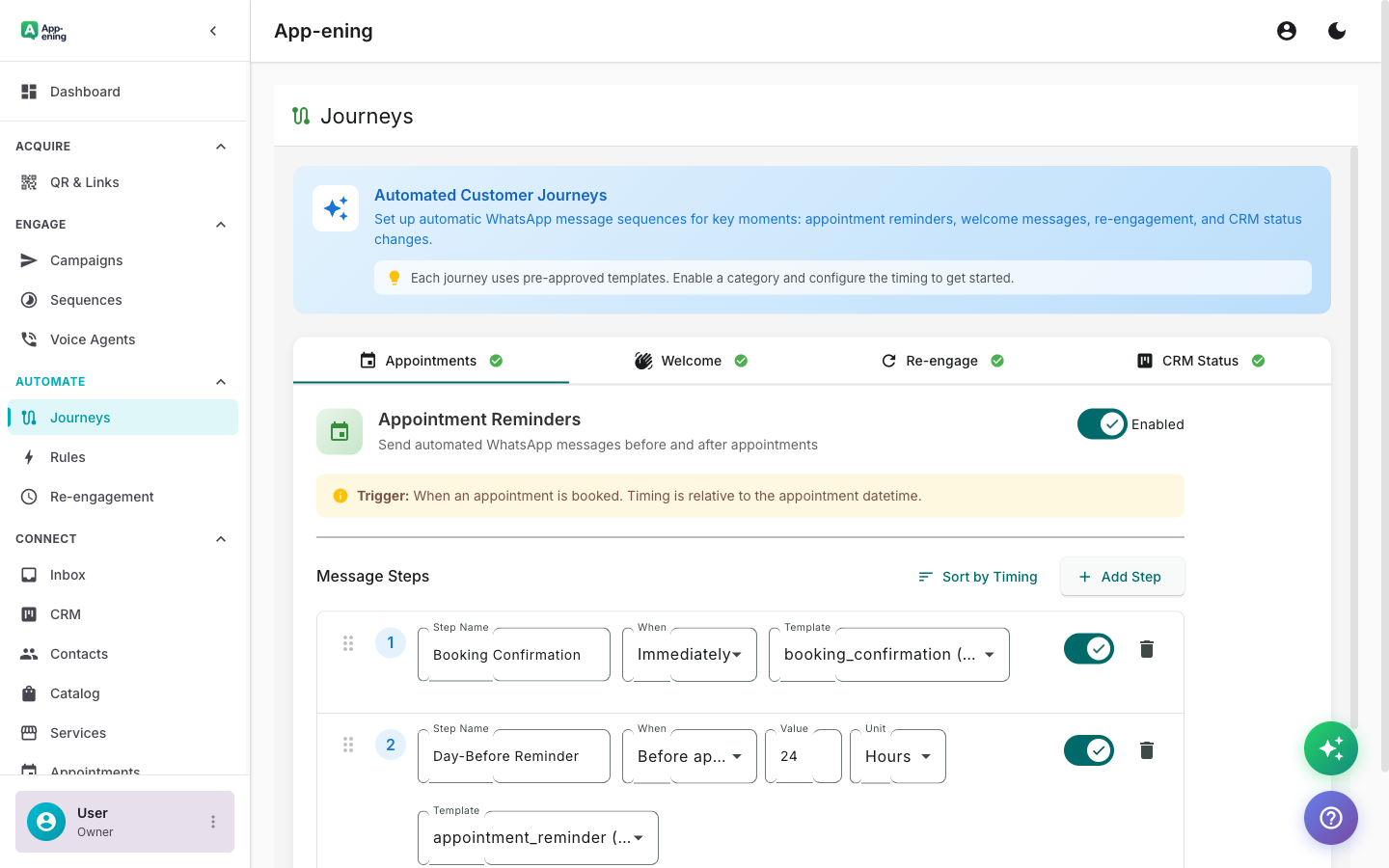
Design the Path Visually — Journey Builder screenshot
3

Add Conditions and Branches

Split the journey based on customer replies, payment status, time elapsed, or any contact property. Personalise at every step.
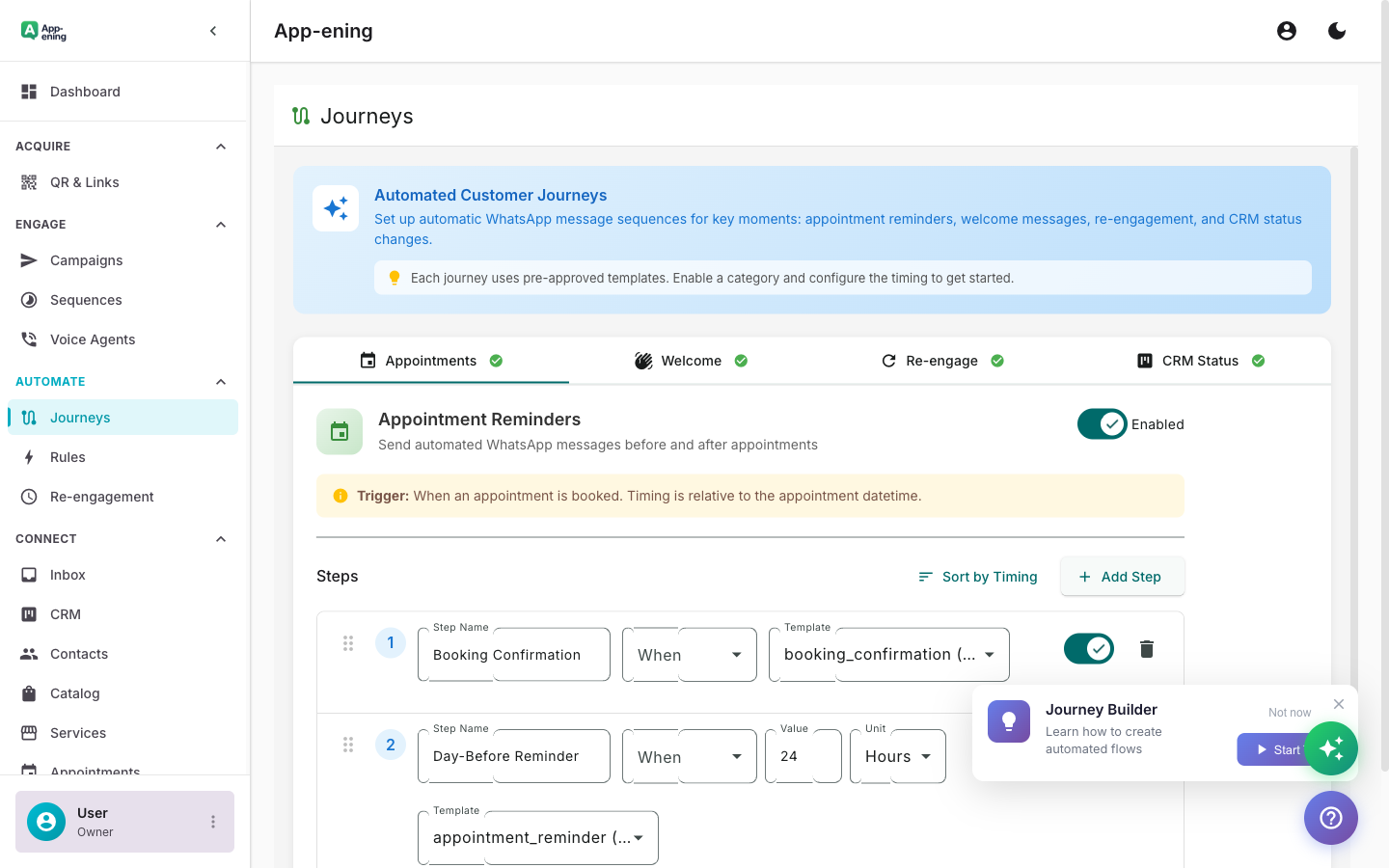
Add Conditions and Branches — Journey Builder screenshot
4

Monitor Live Performance

See how contacts flow through each step with conversion rates, drop-off points, and completion metrics.
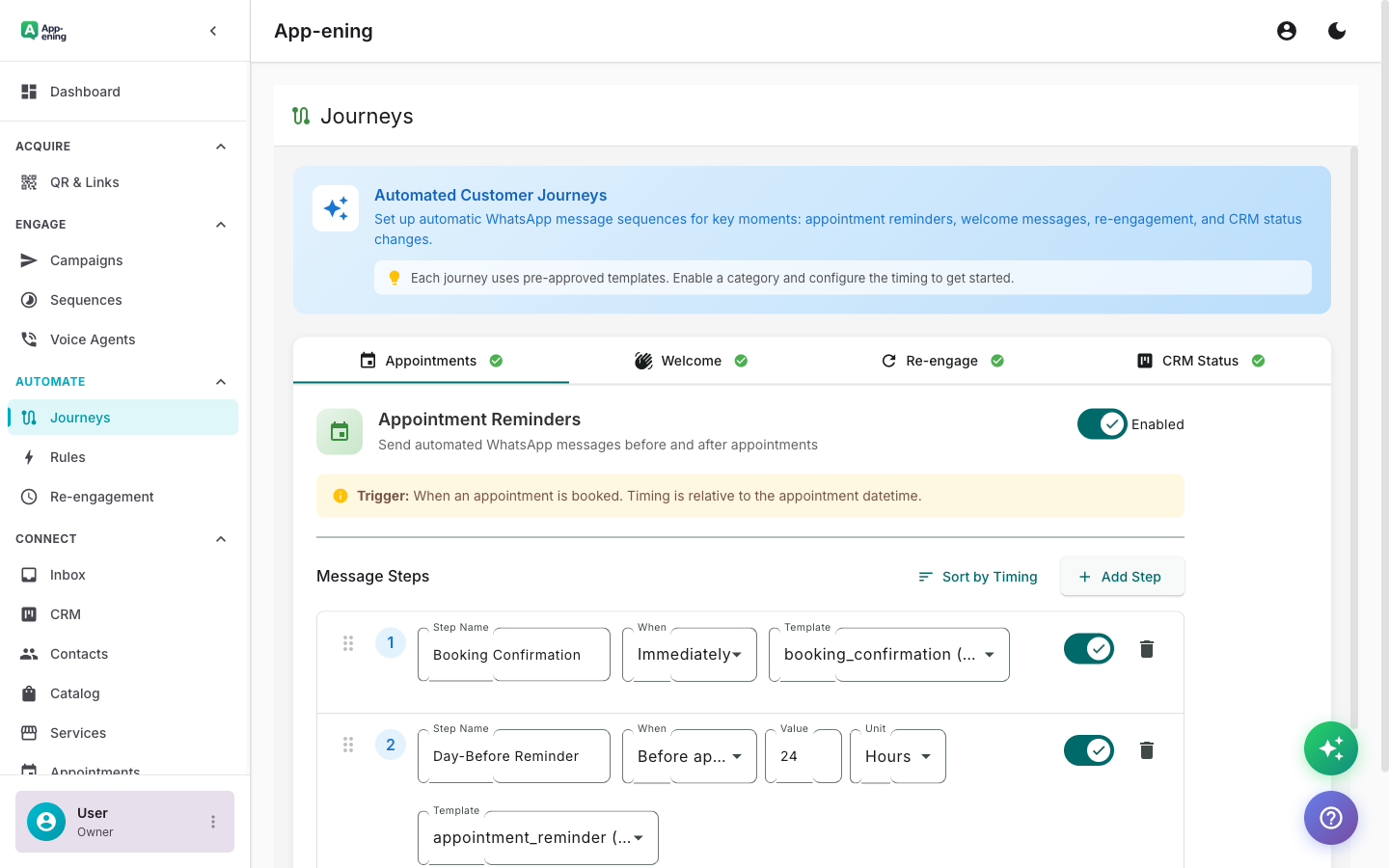
Monitor Live Performance — Journey Builder screenshot
How It Works

Step by Step

1

Configure

Set up Journey Builder in your App-ening dashboard. Customise settings to match your workflow.

2

Activate

Turn on the feature and connect it with your existing tools and UAE business processes.

3

Results

See results from day one with automated WhatsApp workflows that save time and grow revenue.

Use Cases

How Businesses in UAE Use Journey Builder

Customer Onboarding

Welcome new customers with a 7-day journey: intro, setup guide, tips, and first-purchase offer.

Win-Back Campaign

Re-engage dormant customers with escalating offers over 2 weeks.

Post-Purchase

After an order: confirmation → shipping update → delivery confirmation → review request → cross-sell.

Real Results

What Businesses Achieve

L
LearnPro Online Academy
Dubai
Challenge

Student drop-off after free trial registration

Results
8% → 19%
Trial-to-Paid
+65% completed onboarding
Student Engagement
-40% in first 30 days
Churn Rate
“Our 7-day onboarding journey keeps students engaged with daily tips, quizzes, and special offers. Conversion more than doubled.”
Plans

Available On

Free
Starter
Pro
Business

What You Get on Each Plan

Free: 1 journey. Starter: 5 journeys. Pro: 20 + A/B splits. Business: Unlimited + journey analytics.

Compare all plans →

FAQ

Frequently Asked Questions

How is Journey Builder different from Automation?+
Automations are single-trigger rules. Journeys are multi-step visual workflows with branching, delays, and analytics.
Can I edit a live journey?+
Yes. Edits apply to new enrollments. Contacts already in the journey continue on the original path.
Is there a journey limit?+
Free: 1 journey, Starter: 5, Pro: 20, Business and Enterprise: unlimited.

Related Features

Team Inbox

Learn more →

AI Assistant

Learn more →

Campaigns

Learn more →

Ready to Transform Your WhatsApp?

Start for free. No credit card. Set up in minutes.

Get Started Free

Free plan available · No credit card required