Campaigns

Campaigns - WhatsApp Business feature for United States businesses.

Get Started Free
Campaigns
Key Capabilities

Everything You Get with Campaigns

Bulk Messaging

Send personalised WhatsApp messages to thousands of contacts at once with template variables.

Audience Segmentation

Target specific groups using tags, custom fields, CRM stage, last-active date, and more.

Scheduling

Schedule campaigns for optimal send times. Queue messages to respect WhatsApp rate limits automatically.

A/B Testing

Test different message templates to see which gets higher open and reply rates before full send.

Analytics Dashboard

Track delivery, read, and reply rates in real time. Export reports for ROI analysis.

Click Tracking

Monitor CTA button clicks and link taps to measure campaign engagement and conversion.

How It Works

See Campaigns in Action

1

Design Your Message Template

Create rich templates with text, images, buttons, and personalisation variables. Submit for WhatsApp approval in one click.
Design Your Message Template — Campaigns screenshot
2

Select Your Audience

Filter contacts by tags, CRM stage, custom fields, or last-active date. Preview exactly who will receive your campaign.
Select Your Audience — Campaigns screenshot
3

Schedule and Send

Launch immediately or schedule for peak engagement hours. App-ening auto-throttles to protect your WhatsApp quality rating.
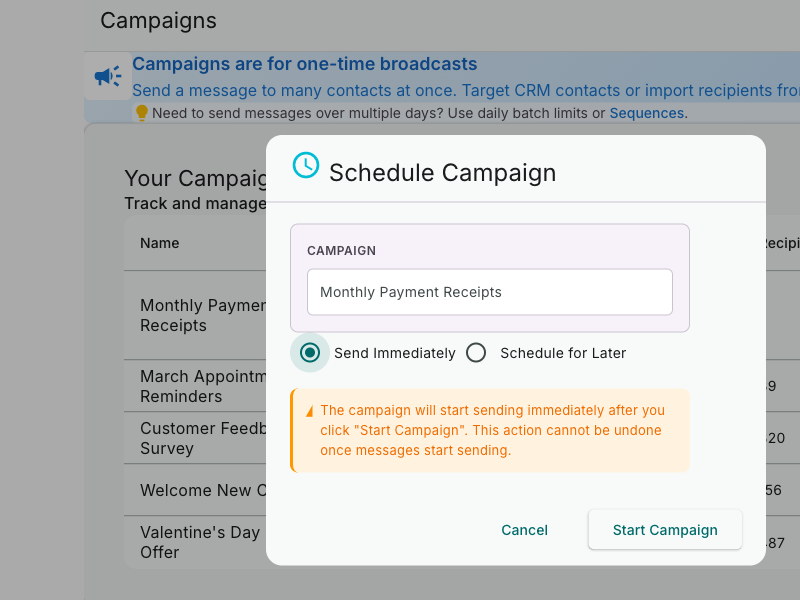
Schedule and Send — Campaigns screenshot
4

Track Results in Real Time

Monitor delivery, open, and reply rates as they happen. Export reports and measure campaign ROI with click tracking.
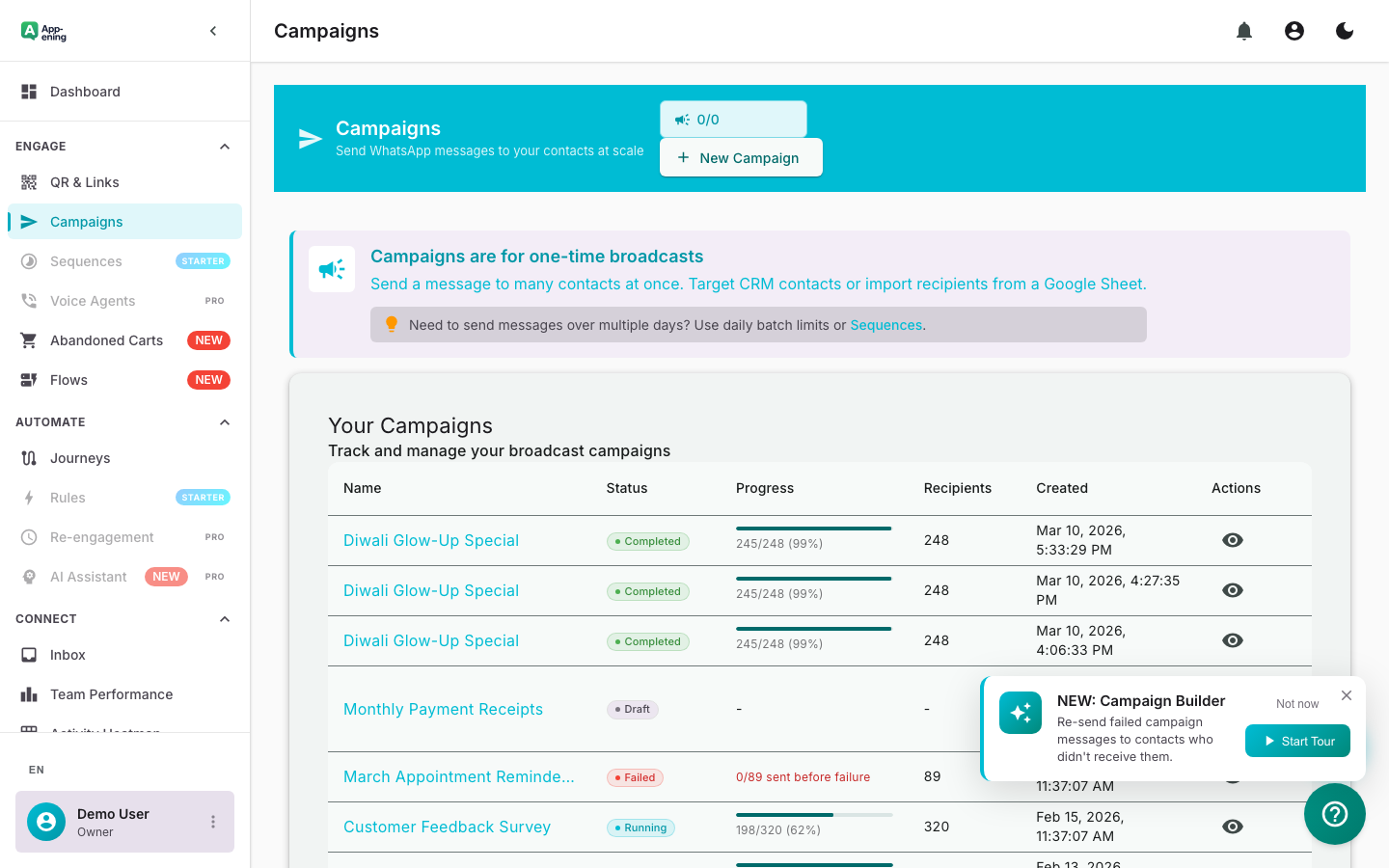
Track Results in Real Time — Campaigns screenshot
How It Works

Step by Step

1

Create Template

Design your message template with text, media, and buttons. Submit for WhatsApp approval (usually 1-2 hours).

2

Select Audience

Choose contacts by tag, segment, CRM stage, or custom field filters. Preview audience size before sending.

3

Schedule & Send

Send immediately or schedule for the optimal time. App-ening auto-throttles to protect your quality rating.

4

Track Results

Monitor delivery, read, and reply rates in real time. Export reports and measure campaign ROI.

Use Cases

How Businesses in United States Use Campaigns

Product Launches

Announce new products to your entire customer base with rich media messages and CTA buttons.

Seasonal Promotions

Run holiday sales, flash deals, and limited-time offers with targeted audience segments.

Re-engagement

Win back inactive customers with personalised offers based on their purchase history.

Real Results

What Businesses Achieve

S
StyleVault Fashion
New York
Challenge

Low engagement on email campaigns (12% open rate)

Results
12% (email) → 94% (WhatsApp)
Open Rate
3.2x higher than email
Click-Through Rate
+47% average increase
Revenue per Campaign
“Our flash sale campaign on WhatsApp generated more revenue in 2 hours than a week-long email campaign.”
Plans

Available On

Free
Starter
Pro
Business

What You Get on Each Plan

Free: 2 campaigns/month. Starter: 10 campaigns. Pro: Unlimited + A/B testing. Business: Unlimited + priority sending.

Compare all plans →

FAQ

Frequently Asked Questions

What is the sending limit?+
Limits depend on your plan: Free (2 campaigns/mo), Starter (10), Pro and above (unlimited). Message volume depends on your WhatsApp tier.
Will my number get blocked?+
App-ening auto-throttles sends to stay within WhatsApp guidelines. Quality rating monitoring alerts you before issues arise.
Can I send images and videos?+
Yes. Campaigns support text, images, videos, documents, and interactive buttons through approved templates.

Related Features

Team Inbox

Learn more →

AI Assistant

Learn more →

Automation

Learn more →

Ready to Transform Your WhatsApp?

Start for free. No credit card. Set up in minutes.

Get Started Free

Free plan available · No credit card required